Thanksgiving starts a stretch of the year when buildings spend a lot of time alone. Offices close for four days, schools go on break, and tenants travel, while hospitals, apartment buildings and on-call teams keep working. Christmas and New Year’s follow a few weeks later.
Access settings built for a normal week often don’t fit a holiday week. This checklist explains where the gaps appear and how IT Directors, Facility Managers, Commercial Property Managers and Security Operations teams can close them before they leave.
Quick answer: how do you secure a building over a holiday?
- Apply holiday schedules so doors stay locked on closed days.
- Remove access that’s no longer needed, and give temporary access an end date.
- Send security alerts to the people on call, on their phones.
- Confirm who can lock doors or start a lockdown remotely.
- Restrict package room and amenity access during the delivery rush.
Why Holiday Weekends Create a Security Gap
Most access control systems are set up around an ordinary operating week. Doors unlock at set times, credentials go to people who need regular access, and alerts go to the people who normally respond.
A holiday changes all three at once. Doors may unlock on a schedule for a building with nobody in it. Temporary contractors and seasonal staff get access that may never be switched off. And the people who usually respond to alarms are traveling.
None of these is a dramatic failure. Together, they leave a facility less protected at the moment fewer people are watching it. We call this the long weekend gap.
How Holidays Affect Different Types of Buildings
Offices and corporate facilities
Many enterprise and business facilities close Thursday and Friday, and some close earlier. With few people on site, after-hours activity is harder to interpret, and a door unlocking on schedule may go unnoticed.
Schools and campuses
During breaks, classrooms, offices and athletic buildings can sit empty for days while maintenance crews still need limited access. K-12 and campus access control needs to allow that work without opening the whole building.
Hospitals and healthcare
Healthcare facilities never close. Holiday staffing brings in temporary workers, and family visits increase traffic, which puts more pressure on badging and visitor management.
Apartment and high-rise buildings
Many residents travel while others host guests, and holiday shopping fills lobbies and package rooms with deliveries. Multi-family buildings need tight control over shared spaces during this period.
Multi-site portfolios
Organizations with several locations often have different holiday hours at each one. Confirming that every site is set up correctly is difficult without one central view.
The Biggest Holiday Access Control Risks
Doors unlocking on the wrong schedule
If holiday hours aren’t reflected in door schedules, entrances can unlock on a day when no one is there. It is one of the easiest problems to prevent and one of the easiest to miss.
Credentials that outlast their purpose
Holidays bring short-term access for cleaning crews, contractors working during closures and seasonal staff. Without an end date, that access can stay active for weeks. As we covered in Why Lost Access Cards Are a Bigger Security Problem Than You Think, every unneeded active credential is a possible way in.
Alerts that nobody receives
A forced-door or door-held-open alarm only helps if someone sees it. When alerts go only to on-site staff or a shared inbox, a holiday event may not be noticed until Monday.
Weekend activity that’s hard to review
When the building reopens, teams need to know what happened. Reviewing four days of events across many doors and sites takes a long time without clear, searchable history.
The 5-Step Holiday Building Security Checklist
1. Apply holiday schedules to every door
Match door schedules to the building’s real holiday hours. Entrances that normally unlock on weekday mornings should stay locked on closed days. If you manage several sites, check each one, not just headquarters.
2. Review who has access, and set end dates
Before the holiday, remove access for former employees, finished contractor projects and expired vendors. Anyone who needs access during the closure should get permissions that expire automatically. This matters most for teams managing rotating and short-term workforces. Badging and identification tools make temporary credentials easier to issue and track.
3. Send alerts to the people on call
Decide who responds to security events over the holiday and make sure notifications reach their phones. Prioritize forced doors and after-hours access attempts so on-call staff aren’t buried in routine activity. Our article on alert fatigue explains how to make alerts more useful.
4. Confirm remote control and lockdown procedures
Make sure authorized staff know how to check door status, lock or unlock entrances and respond to an emergency without being on site. With mobile access control, that can mean solving a problem in minutes instead of driving back to the building on a holiday.
5. Restrict package room and amenity access
In residential and mixed-use buildings, limit package rooms to the residents and staff who need them, and watch activity during the busiest delivery weeks. See Why Access Control Matters More in Multi-Story Apartment Buildings for more on shared residential spaces.
Holiday security at a glance
| Building type | Main holiday risk | What to check first |
|---|---|---|
| Offices | Doors unlocking on closed days | Holiday door schedules |
| Schools | Empty buildings with maintenance access | Limited, time-bound crew access |
| Healthcare | Temporary staff and more visitors | Badging and visitor management |
| Apartment buildings | Package room traffic, residents away | Package room and amenity access |
| Multi-site portfolios | Different hours at each site | One central view of all schedules |
After the Holiday: A Monday Morning Review
A short review when the building reopens confirms that the holiday went as planned:
- Review door activity from the closure, especially after-hours events
- Follow up on any forced-door or held-open alarms
- Turn off temporary credentials that are no longer needed
- Switch doors back to normal schedules
- Note anything to fix before the next holiday
Christmas and New Year’s closures are only weeks away, so anything you learn at Thanksgiving makes the rest of the season easier.
Why Cloud Access Control Makes Holiday Readiness Easier
Every step on this checklist is a change to how the building is set up. When those changes require someone at a panel or a visit to each site, they get delayed or skipped, especially in a short holiday week.
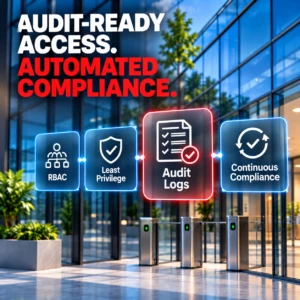
A cloud-based access control system lets teams update schedules, end credentials, route alerts and review activity for every site from one place, and from a phone when needed. It also keeps a clear record of what happened, which supports audit-ready access practices heading into the new year.
Ease of use matters most when time is short. As Daniel R. Walling, President of Locksmith Express and a Millennium partner for more than 25 years, puts it: “Millennium is one of the easiest products to use out there.” Read more in the Locksmith Express case study.
Frequently Asked Questions
How do you secure an office building over a holiday weekend?
Set holiday door schedules so entrances stay locked on closed days, remove access that’s no longer needed, send alerts to on-call staff’s phones and confirm who can lock the building remotely. Review door activity when the building reopens.
Should access control schedules change for holidays?
Yes. Normal weekday schedules can unlock doors on days when nobody is in the building. Most access control systems let you set holiday schedules in advance so doors follow the building’s actual hours.
How should contractor access be managed during a holiday closure?
Give contractors access only to the areas they need, only for the days they’re working, with an end date so access turns off automatically when the job is done.
What should you check after a holiday weekend?
Review door events from the closure, follow up on any alarms, turn off temporary credentials and return doors to their normal schedules.
Can you manage building access remotely during the holidays?
Yes. With cloud-based and mobile access control, authorized staff can check door status, lock or unlock entrances and respond to alerts from anywhere.
Final Takeaway
The holidays are a time to step away and be with family. For the people responsible for buildings, that should be possible without worrying about what’s happening back at the office, the school or the property.
That peace of mind comes from preparation: schedules that match reality, credentials that expire on time, alerts that reach the right people, and the ability to manage access from anywhere. Security doesn’t take a long weekend. With the right access control, the people who manage it can.
From all of us at Millennium, thank you to our dealers, partners, customers and everyone working this holiday to keep buildings safe. Happy Thanksgiving.
Millennium is a scalable, hosted, access control platform that services any type of real estate. Our cloud-based solution allows managers and tenants to efficiently manage their physical security from anywhere while enhancing experience and driving profitability.