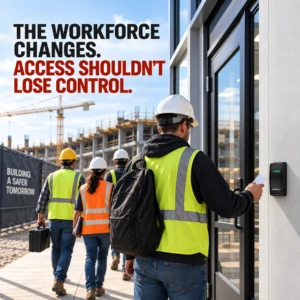
Commercial properties, enterprise facilities, and job sites increasingly depend on rotating workforces: contractors, vendors, service teams, temporary staff, and after-hours maintenance crews. That creates a simple but difficult problem: how do you secure people who move frequently, need time-bound access, and may not return to the same site tomorrow?
The answer is not more keys, spreadsheets, or ad hoc door codes. For many organizations, the better model is a zero-infrastructure job site—a security approach that reduces on-site hardware dependence, centralizes identity-based access decisions, and supports rapid onboarding and offboarding for changing teams.
This article explains how IT Directors, Facility Managers, CRE Property Managers, Property Owners, and Security Operations teams can secure a rotating workforce using modern access control, visitor and contractor management, and Zero Trust security principles.
What “Zero-Infrastructure Job Site” Means
A zero-infrastructure job site is not a site with no security. It is a site that minimizes the need for heavy, locally managed access infrastructure while still enforcing strong control over who can enter, when they can enter, and what they can access.
In practice, that usually means:
- Identity-based access instead of static credentials
- Cloud-managed or centrally managed access control
- Mobile credentials or temporary credentials
- Time-bound permissions for contractors and vendors
- Continuous logging and auditability
- Integration with HR, vendor, and visitor workflows
This aligns with Zero Trust guidance that emphasizes verifying identity explicitly, applying least privilege, and assuming breach. Microsoft’s Zero Trust guidance also notes that network firewalls and VPNs alone are no longer sufficient for modern access patterns.
Why Rotating Workforces Create Security Risk
Rotating workforces are operationally necessary, but they create predictable access challenges:
- Credentials are issued and revoked too slowly
- Shared door codes get reused
- Temporary workers accumulate unnecessary access
- Contractors need access to different zones on different days
- Facility teams lose visibility into who is on-site
- Offboarding becomes inconsistent across departments
For physical security, the main issue is that access must be tied to the person, the role, and the time window—not to a permanent badge floating around a job site. Modern physical access control systems are designed to admit only authorized people through secured entry points and to log access for audit purposes.
The Core Security Principles Behind a Zero-Infrastructure Job Site
Verify identity before granting access
Zero Trust frameworks recommend explicit verification of users and devices before access is allowed. Microsoft’s guidance describes verifying identities, checking device health, and applying real-time policies as core Zero Trust practices.
Grant the minimum access needed
Contractors should receive only the access required for their assignment. Microsoft’s Zero Trust guidance explicitly recommends least privilege access and just-in-time access for sensitive functions.
Assume the site boundary is not enough
A rotating workforce may be accessing the site from many entry points, devices, and vendors. Zero Trust shifts the security model away from perimeter dependence and toward continuous validation and policy enforcement.
Log, review, and audit access
Physical access systems should record ingress and egress, support audit trails, and integrate with security operations workflows. Microsoft’s datacenter security guidance describes electronically logged access and monitored physical access as standard controls.
The Best Security Model for a Rotating Workforce
A strong model for a rotating workforce usually combines five elements:
- Identity proofing
- Role-based access assignment
- Time-based credential expiration
- Centralized logging
- Fast offboarding
This is where cloud-managed access systems and Zero Trust policy models are especially useful. Microsoft’s Zero Trust documentation emphasizes policy-based access, device validation, and least privilege. Google’s BeyondCorp model similarly highlights identity and device-aware access without relying on traditional network trust.
Mobile Credentials and Temporary Access Are Better Than Shared Codes
For job sites with rotating crews, mobile credentials and temporary access badges are often a better fit than shared PINs or printed codes.
Why?
- Credentials can be issued remotely
- Access can expire automatically
- Credentials can be tied to a named user
- Revocation is faster
- Audit trails are cleaner
Physical access control guidance from industry vendors and security platforms consistently frames modern PACS as identity-centered systems that can log and manage authorized entry.
For property managers and security teams, this reduces the operational burden of rekeying or manually resetting access every time a vendor rotates off site.
Contractor Access Control Needs Time Boundaries
Contractors are not employees, and they should not be treated like permanent insiders.
A strong contractor access control process should define:
- Who approved the request
- What site or zone they can enter
- When access starts and ends
- Which doors, floors, or areas are included
- Whether escort is required
- How access is revoked after the job ends
Microsoft’s privileged access guidance reinforces the principle that access should be granted only at the right time, with the right approval workflow, and at an acceptable risk level.
For CRE and enterprise facilities, this is especially important in mixed-use buildings, tenant floors, loading docks, equipment rooms, and after-hours maintenance environments.
Visitor Management and Contractor Management Should Work Together
Many organizations treat visitor management and contractor management as separate workflows. That creates gaps.
A better model is a unified access workflow that can handle:
- Visitors
- Vendors
- Short-term contractors
- Cleaning crews
- HVAC and maintenance providers
- Emergency service personnel
A unified system improves visibility and reduces the risk of manual exceptions. It also helps Security Operations teams answer the question, “Who is on site right now, and why?” without relying on paper logs or disconnected systems.
How to Secure a Zero-Infrastructure Job Site Without Heavy On-Site Hardware
A true zero-infrastructure approach reduces local complexity while keeping security strong. Common elements include:
Cloud-managed access control
Central administration makes it easier to manage multi-site properties, temporary workers, and offboarding.
Identity and directory integration
Tie access to an employee or contractor identity record so permissions are easier to update and revoke.
Role-based access control
Assign access based on job role, project, or vendor status rather than personal familiarity.
Time-boxed credentials
Set start and end dates automatically to limit exposure.
Central logging and alerts
Monitor use patterns, after-hours access, and unusual door activity.
Policy-based device validation
Where applicable, require managed devices or trusted authentication paths for administrative access, aligning with Zero Trust device guidance.
What IT Directors Need to Know
IT Directors often own the identity layer, integrations, and governance framework.
Key questions include:
- Does the access platform integrate with identity systems?
- Can permissions be automated based on HR or vendor status?
- Are audit logs exportable to a SIEM?
- Can the system support conditional, time-based access?
- Is the platform compatible with Zero Trust policies?
Microsoft’s Zero Trust guidance emphasizes policy-driven identity and device access, while its infrastructure guidance recommends centralized visibility and controls across the enterprise.
What Facility Managers and Property Managers Need to Know
Facility and property teams need practical control, not extra complexity.
Look for systems that help you:
- Grant access quickly for new vendors
- Restrict contractors to specific entrances or floors
- Maintain a reliable audit trail
- Reduce dependence on physical key management
- Support multiple buildings or tenant environments from one console
This is especially valuable in commercial real estate where tenant turnover, service-provider turnover, and after-hours access requests can create constant operational noise.
What Security Operations Teams Need to Know
Security Operations teams need visibility and response capability.
A good setup should support:
- Real-time monitoring of door events
- Alerts for suspicious access patterns
- Correlation with camera or alarm systems
- Fast deprovisioning when access should end
- Clear evidence for incident review
Industry security guidance for physical environments consistently emphasizes access logging, monitoring, and restricted physical access to sensitive areas.
Practical Deployment Checklist for a Rotating Workforce
Before deploying or modernizing a job site access model, ask:
- Do we have a named owner for contractor onboarding?
- Are access approvals standardized?
- Are credentials time-limited?
- Can we revoke access instantly?
- Are logs centralized?
- Do we distinguish between visitors, vendors, and contractors?
- Are privileged areas separately controlled?
- Is offboarding automated or manual?
- Can we support multiple sites without local admin overhead?
If the answer to several of these is “manual,” the site is likely carrying unnecessary risk.
The Business Value of Zero-Infrastructure Security
For enterprise and CRE environments, the value is not just security. It is operational consistency.
A zero-infrastructure job site can help organizations:
- Reduce administrative friction
- Improve audit readiness
- Lower dependency on physical credentials
- Speed up onboarding for temporary labor
- Improve control over shared spaces
- Support multi-site consistency
In other words, the security model becomes easier to operate, not harder.
Conclusion
The rotating workforce is not going away. Contractors, vendors, and temporary teams are essential to how commercial properties and enterprise facilities operate. The challenge is building a security model that can keep up.
A zero-infrastructure job site gives organizations a path forward: identity-based access, time-bound permissions, centralized logging, and policy-driven control with less reliance on local hardware and manual processes. For IT, facilities, property, and security teams, this approach can improve both security posture and operational efficiency.
If your current process still depends on keys, codes, paper logs, or manual badge cleanup, it may be time to move toward a more modern, Zero Trust-aligned model for the rotating workforce.
Millennium is a scalable, hosted, access control platform that services any type of real estate. Our cloud-based solution allows managers and tenants to efficiently manage their physical security from anywhere while enhancing experience and driving profitability.