Video Convergence: Unify Cameras and Doors on One Timeline | Enterprise Security
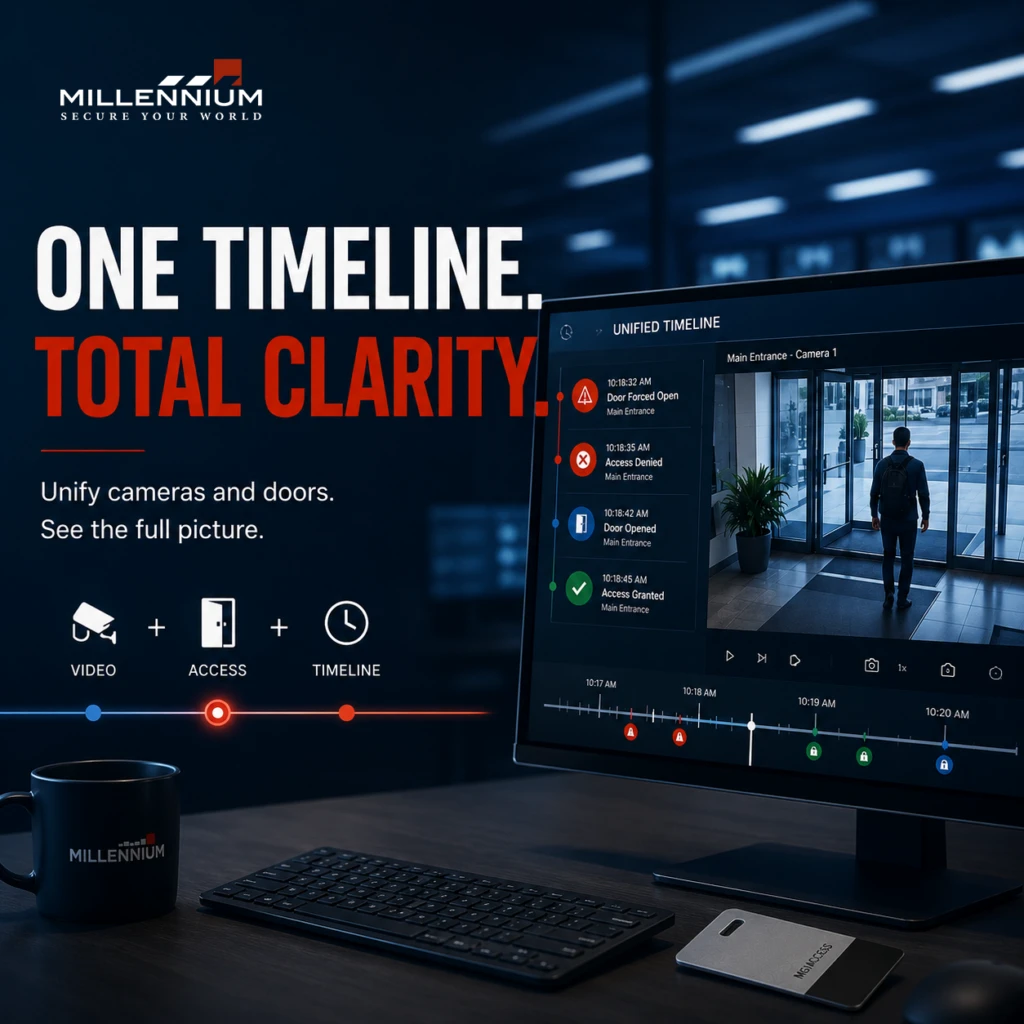
When cameras, doors, and access events live in separate systems, your security team is forced to reconstruct incidents the hard way. Operators jump between platforms, match timestamps manually, and try to piece together what happened before, during, and after an event. That fragmentation slows investigations and creates blind spots for IT, facilities, and security operations. Video convergence solves that problem by bringing video surveillance, access control integration, and event context into one operational timeline. Open standards such as ONVIF explicitly support integration between physical access control systems and video surveillance systems, which is why unified workflows have become such a practical enterprise requirement. (onvif.org) What Is Video Convergence? Video convergence is the alignment of camera footage, door events, and related security data into a single investigation workflow. Instead of treating the video management system and the access control platform as separate tools, convergence lets operators move from a door event to the relevant camera view without losing context. That is the core value of a unified security timeline: one sequence of evidence, not multiple disconnected logs. ONVIF’s access control specifications are designed to enable integration with video cameras and video monitoring systems, which supports this kind of workflow. (onvif.org) For enterprise buyers, that usually maps to these high-intent search themes: unified security timeline video and access control integration camera and door event correlation enterprise video surveillance and access control incident investigation workflow physical security convergence single-pane-of-glass security operations access control video integration Those phrases reflect clear search intent: buyers want fewer silos, faster investigations, and better operational control. (onvif.org) Why Cameras and Doors Belong on the Same Timeline Security events rarely happen in isolation. A badge swipe, a door forced-open alert, a door held-open condition, or an after-hours entry attempt usually has a corresponding camera trail. When those records are separated, your team loses time and context. When they are unified, the team can review the door event and the relevant footage in sequence. That matters because modern video systems increasingly support timeline-based retrieval and event reconstruction. Patent literature in this area shows long-standing industry interest in storing and retrieving video events in timeline format, with metadata used to index and search video more efficiently. (patents.google.com) In plain terms: one timeline means faster answers. The Operational Cost of Disconnected Systems Disconnected systems create friction in three places. 1. Investigations take longer If an operator has to open one interface for video and another for access events, every incident becomes a manual reconciliation exercise. That is exactly the kind of workflow unified systems are meant to reduce. Timeline-based retrieval and metadata-driven search are widely described in security video systems because they help users move from raw footage to relevant events faster. (patents.google.com) 2. Response depends on memory, not process When the camera view is not automatically tied to the door event, response quality depends on whether the operator remembers which camera covers which entry point. Unified workflows reduce that dependency by placing the event and the evidence in the same view. ONVIF’s access control and video integration standards exist to support that exact type of interoperability. (onvif.org) 3. IT and facilities stay siloed In many enterprises, IT owns identity, network governance, and infrastructure, while facilities owns the doors, readers, and physical response. Without a shared timeline, both teams see only part of the incident. This is where convergence supports a more modern cyber-physical operating model aligned with centralized control and standardized integrations. (onvif.org) What a Unified Video and Door Timeline Should Do A true enterprise-grade unified timeline should do more than display clips. It should support investigation and response with capabilities like: video playback linked to access events door event correlation with nearby camera footage searchable timelines across multiple cameras floorplan or map-based context support for multi-site operations role-based permissions and auditability standards-based interoperability for physical security systems (onvif.org) Some modern systems also support map-based unified timelines and multi-camera event reconstruction, which shows how the market is moving toward faster event review instead of manual scrubbing. How to Evaluate a Unified Security Platform Before you commit to a platform, evaluate it through the lens of operations. Ask: Does it unify video and access control natively or through weak point-to-point links? Can operators move from a door alert to relevant footage immediately? Does it support multi-site administration? Does it align with open standards such as ONVIF for video and access control interoperability? Can IT govern users, credentials, and permissions cleanly? Can security teams use it without constant context switching? (onvif.org) If the answer is no, you may have “integration” on paper, but not in practice. Why This Matters for IT, Facilities, and Security Operations For IT Directors, video convergence reduces system sprawl and supports cleaner governance across security infrastructure. For Enterprise Facility Managers and CRE Property Managers, it improves visibility at lobbies, loading docks, parking areas, tenant entrances, and restricted zones. For Enterprise Security Operations teams, it shortens the path from alert to action by tying the door event to the right footage in one place. That reduces the friction between detection, verification, and response. (onvif.org) The Bottom Line Video convergence is not just a feature. It is an operational strategy. When your cameras and doors live on one timeline, your team spends less time reconciling systems and more time responding to events. That shift is especially valuable in enterprise environments where security, IT, and facilities all need the same truth at the same time. Standards such as ONVIF show that the industry has already moved toward interoperable integration between access control and video surveillance. (onvif.org) If your current stack still forces your team to assemble incidents manually, it may be time to move from disconnected tools to a unified security model. Start by mapping where your cameras and doors still operate in silos. Then design the timeline first. Millennium is a scalable, hosted, access control platform that services any type of real estate. Our cloud-based solution allows managers and tenants to efficiently manage their physical security from anywhere while enhancing
Identity Convergence: Syncing Access Control with Active Directory
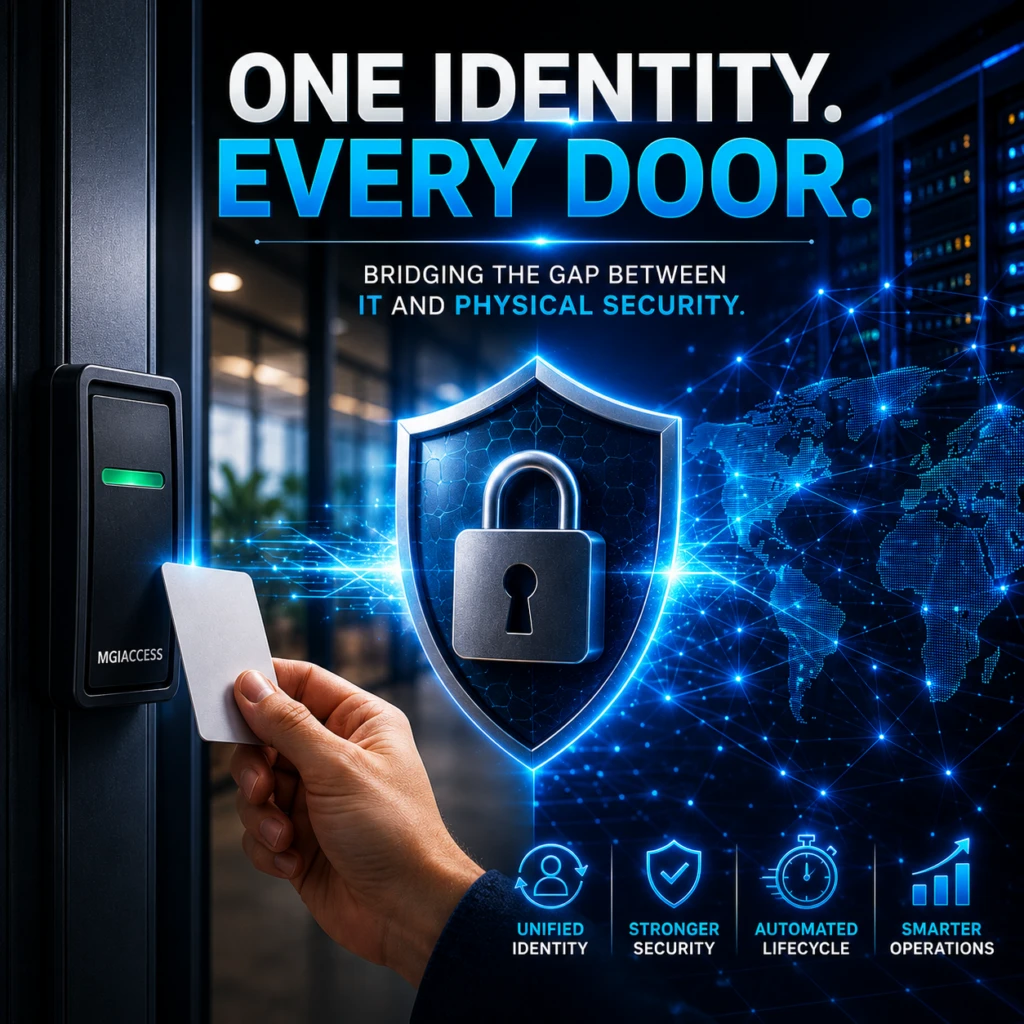
Enterprise security breaks down fastest at the handoff points: IT owns identity, facilities owns doors, and security ops owns risk. When those systems do not share a common identity foundation, you get duplicate records, delayed deprovisioning, inconsistent access decisions, and too much manual work during onboarding, offboarding, and role changes. That is the core problem identity convergence solves. By syncing access control with Active Directory and enterprise identity management systems, organizations can create a more unified identity layer across digital and physical environments. Instead of managing people in disconnected silos, IT and security teams can align identity lifecycle events, enforce policy more consistently, and reduce the gap between who someone is and what they can access. Why identity convergence matters now Modern enterprises are moving toward identity-centric security models. NIST’s Zero Trust guidance emphasizes identity as a key control point rather than relying only on network location or perimeter trust. In parallel, modern identity management platforms support authentication, provisioning, and directory integration through widely adopted standards such as SAML, OIDC, and SCIM. (csrc.nist.gov) For IT Directors, Enterprise Facility Managers, CRE Property Managers, and Enterprise Security Operations teams, that means the old separation between cyber and physical access is no longer sustainable. If a worker leaves, changes departments, or loses privileges, the identity source of truth should update both digital access and physical access workflows as close to real time as the architecture allows. Identity management platforms that support SCIM can automate user and group lifecycle actions, while Active Directory integration helps centralize identity management across on-premises and connected environments. What “syncing access control with Active Directory” actually means At a practical level, identity convergence means your identity provider, directory, and access control ecosystem work together through standards and integrations rather than manual exports and spreadsheet-driven administration. A typical model looks like this: Active Directory remains the authoritative directory for many legacy and on-premises systems. Microsoft documents AD’s core role in directory services and common authentication protocols in enterprise environments. (learn.microsoft.com) Enterprise identity management platforms provide centralized authentication, federation, and lifecycle orchestration across applications and directories. SCIM automates user and group provisioning, updates, and deactivation between identity providers and connected applications. SAML and OIDC provide standardized federated authentication for modern applications and services. In a converged environment, a joiner-mover-leaver event in HR or an identity management system can trigger downstream changes that update access more consistently across systems. That is the operational value of identity convergence: fewer manual handoffs, fewer orphaned accounts, and a cleaner chain of trust. Identity convergence reduces the cyber-physical gap One of the biggest risks in enterprise security is the gap between digital identity and physical access. A user may be disabled in one system while still active in another. A contractor may still appear in a badge workflow after their project ends. A role change may update application access but not physical permissions. That gap creates operational risk. Identity management platforms support centralized lifecycle management across connected systems, while Microsoft’s directory and authentication documentation reinforces that Active Directory remains foundational in many enterprise environments. (learn.microsoft.com) For security teams, the goal is not just convenience. It is consistency. Identity convergence helps ensure that access decisions are based on current status, not stale records. Why Active Directory still matters in modern access control Active Directory is still deeply embedded in enterprise infrastructure. Microsoft describes Active Directory as the directory many organizations use for core services and authentication. That matters because many access control environments still depend on legacy systems, on-premises services, or hybrid deployments. If your physical security stack, badge system, or facility workflow still depends on AD-linked identities, then identity convergence should respect that reality rather than trying to ignore it. The best approach is usually hybrid: keep Active Directory where it is still authoritative, connect downstream systems through supported integrations and standardized identity management practices, maintain consistent identity information across physical and digital environments. The role of enterprise identity management in unified access control Modern identity management platforms support standard protocols and identity integration patterns that are central to modern enterprise identity architecture. These platforms commonly support authentication, provisioning, directory synchronization, and federation across connected applications and services. That makes enterprise identity management useful for: authentication, provisioning, deprovisioning, directory synchronization, and federation across connected applications and services. For enterprise buyers, this is especially important when access control touches both IT systems and physical environments. You need a model that can scale across departments, locations, and vendors without multiplying administrative burden. Standard protocols make integration more secure and more scalable If you are building or evaluating an identity convergence strategy, the protocol layer matters. SCIM for provisioning and lifecycle automation SCIM is an open standard for exchanging identity data and automating user and group lifecycle operations between identity providers and connected applications. Microsoft Entra documentation similarly describes SCIM as a standardized way to synchronize user profiles and group data. SAML for federated enterprise sign-in SAML is a long-standing enterprise federation standard used to support secure authentication between identity providers and enterprise applications. OIDC for modern authentication OpenID Connect builds on OAuth 2.0 and is widely used for modern application authentication and single sign-on. The advantage of using standards is straightforward: you reduce custom connector complexity, improve portability, and make security architecture easier to maintain over time. What enterprise facility managers need from identity convergence Facility managers are often forced to operate in a world where physical access is managed separately from digital identity. That creates friction during: onboarding, role changes, temporary access needs, contractor access, after-hours access, and offboarding. Identity convergence helps facility teams work from the same lifecycle events that IT already uses. Instead of waiting on manual ticketing or email approvals, the organization can align identity status with access workflows more systematically. That is especially useful in multi-site commercial real estate environments, where inconsistent access rules across buildings or tenants can create both operational inefficiency and security exposure. What IT Directors and security teams should prioritize If you are responsible for the architecture, focus
Why Lost Access Cards Are a Bigger Security Problem Than You Think
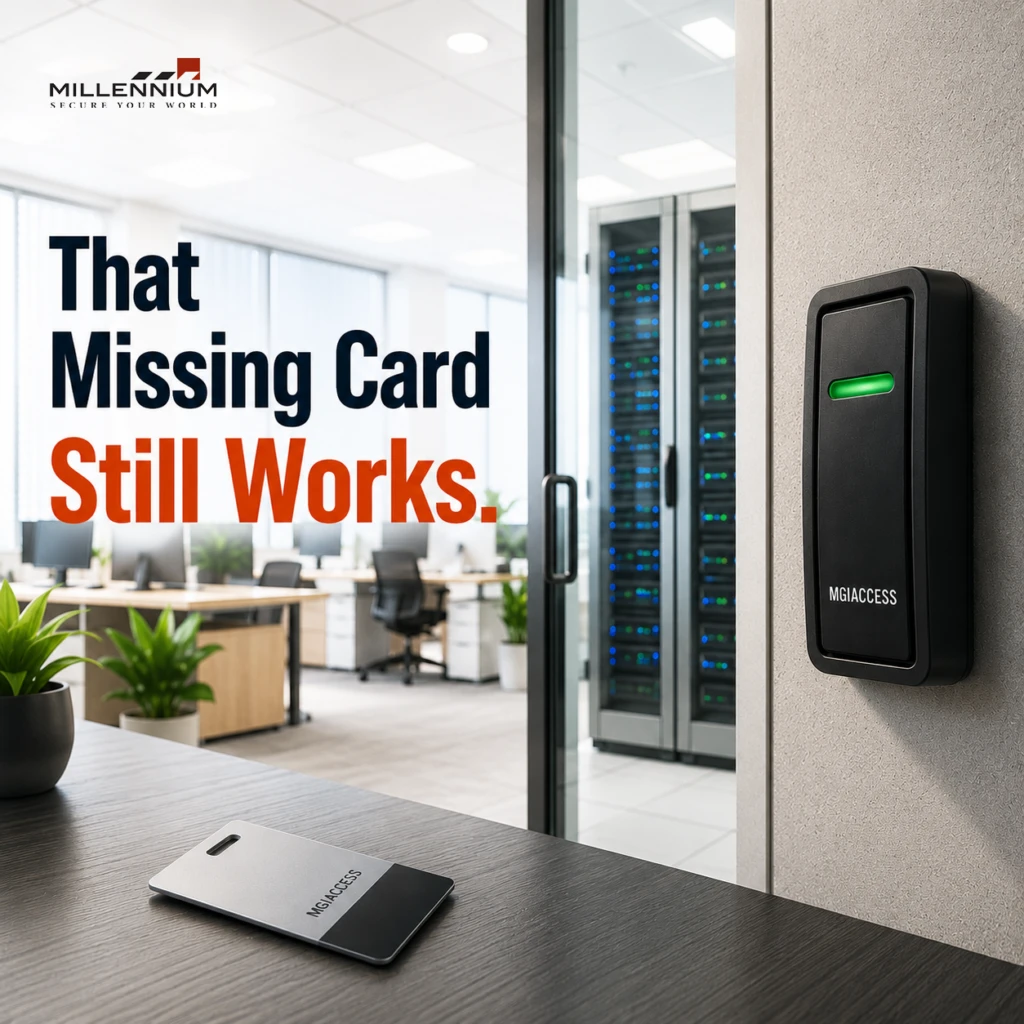
Lost access cards are often treated as a simple admin issue: replace the card, deactivate the old one, move on. But for IT directors, facility managers, commercial property owners, CRE property managers, and security operations teams, a missing badge is really a physical security event. A lost card can create a window of unauthorized access, weaken auditability, and add recurring administrative work. In environments with multiple doors, tenant groups, visitors, contractors, and shift-based staff, those risks compound quickly. Industry guidance from NIST also reinforces the basic principle that physical access devices must be controlled and revoked when lost or compromised. (nist-sp-800-53-r5.bsafes.com) If your organization still relies heavily on physical badges, the question is not whether cards get lost. It’s whether your access control program is designed to respond fast enough when they do. Mobile credentials are increasingly positioned as a modern alternative because they can reduce reliance on replaceable plastic cards and use built-in smartphone protections like device passcodes and biometrics. What makes a lost access card a real security issue? A lost card is dangerous because it can still be valid until someone notices it is missing and disables it. That delay matters. Here’s why: Unauthorized access risk: anyone who finds the card may be able to attempt entry if the credential has not been revoked. Tailgating becomes easier: once one valid credential is in circulation, it can be used to help someone else follow into secured areas. Tailgating is a known physical security risk. (en.wikipedia.org) Audit trail gaps: if the credential remains active, access logs may show “authorized” entry tied to the lost card, making investigations harder. Operational disruption: security teams, facilities teams, and service desks often have to verify the loss, revoke the credential, reissue access, and update records. In other words, the lost card is not the problem by itself. The problem is the time between loss and revocation. Why “just deactivate it later” is not a safe strategy Many organizations assume a missing card is low risk because it can be disabled eventually. But “eventually” is the wrong standard for physical security. NIST guidance for physical access control emphasizes controlling physical access devices and changing or revoking access when keys or credentials are lost or compromised. That principle applies directly to access cards and similar devices. (nist-sp-800-53-r5.bsafes.com) If your process depends on the cardholder realizing the loss immediately, reporting it quickly, and having someone available to process the revocation right away, then you are relying on a chain of perfect behavior. That is not a strong control model. For enterprise environments, the better question is: How quickly can we detect, revoke, and replace a lost credential without disrupting normal operations? Common search-intent questions behind “lost access cards” When people search for this topic, they are usually trying to solve one of these problems: 1. Is a lost access card a serious security risk? Yes. A lost card can create unauthorized-entry risk until it is revoked, especially if it is used in a facility with multiple access points or weak reporting procedures. (nist-sp-800-53-r5.bsafes.com) 2. How do you manage lost badge incidents? The standard response is to report the loss, verify the user, deactivate the credential, and reissue access. Many physical security policies explicitly call for revocation of lost or stolen badges. (help.drata.com) 3. What is a better alternative to physical access cards? Mobile credentials are a common modern option. They reduce card replacement, can improve convenience, and leverage smartphone security features rather than relying only on a standalone card. 4. How can enterprise teams reduce access card replacement costs? By tightening lifecycle management, reducing dependence on plastic cards, and moving toward credential models that are easier to issue, update, and revoke. The hidden costs of lost access cards The obvious cost is replacement. The less obvious costs are the ones that affect security operations and facilities teams every week. Administrative overhead Each lost card can trigger: identity verification deactivation reissuance access profile review help desk or security ticket handling That creates operational drag, especially in organizations with large headcounts, multiple buildings, or frequent contractor turnover. Security policy exceptions When replacements are slow, teams often create temporary workarounds. Those workarounds can weaken your access policy and create inconsistent enforcement across sites. Poor tenant or employee experience In commercial real estate and multi-tenant environments, a lost credential can quickly become a service issue. A modern access control program should reduce friction, not add it. Why lost cards expose a broader access control weakness A lost card is usually a symptom of a larger issue: the organization depends too heavily on a physical credential model that is hard to manage at scale. That model has a few built-in vulnerabilities: cards can be lost, stolen, or shared cards can be cloned depending on the credential technology in use users may not report losses immediately revocation is only effective if the organization acts fast audit trails are only useful if the credential lifecycle is managed correctly How mobile credentials help reduce the risk For many enterprise teams, mobile access control is one of the most practical ways to reduce the impact of lost credentials. Because the credential is tied to the user’s phone, it can benefit from protections already built into the device, such as: PIN or password protection fingerprint authentication facial recognition remote device management policies That does not eliminate security risk entirely, but it changes the problem from “someone found a card” to “someone would also need to defeat the user’s mobile device protections.” For organizations already managing access control infrastructure, mobile credentials can also reduce the recurring burden of card replacement and simplify issuance workflows. Where mobile credentials fit best Mobile credentials are especially relevant for: enterprise offices corporate campuses commercial buildings multi-tenant properties high-turnover environments teams that want fewer help desk tickets and fewer physical credential replacements They are also a strong fit where you want to reduce physical credential inventory and improve control over issuance and deactivation. That said, some organizations still need physical badges
Why Access Control Matters More in Multi-Story Apartment Buildings
Security challenges multiply as buildings grow taller and more complex. Unlike single-structure properties, multi-storey apartments require layered permissions, different access levels, and multiple entry points. A typical building may include: Main entrances Lift lobbies Basement parking Shared amenities (gym, clubhouse, pool) Individual floors Private apartments With so many access points, uncontrolled entry can compromise both resident safety and asset protection. This is where investing in the best access control software becomes essential. Key pain points solved by a modern access control solution include: 1. Unrestricted Visitor Traffic Traditional visitor logs are outdated and error-prone. Residential staff need automated systems that allow controlled entry through QR codes, pre-approved guest lists, or mobile-based check-ins. 2. Lost or Shared Keys Physical keys can be duplicated, lost, or stolen—posing major security risks. Digital credentials eliminate these issues entirely. 3. Lack of Real-Time Monitoring Property managers must know who entered, when, and for how long. Manual logs cannot support real-time tracking. 4. Difficulty Managing Multiple Entrances Without centralized control, staff waste time manually updating permissions for dozens of doors and floors. 5. High Operational Costs Managing rekeying, manual logs, and outdated hardware results in unnecessary expenses. A smart access control system eliminates all these challenges while enhancing both security and resident experience. What Makes an Access Control System “The Best” for Multi-Storey Buildings? Choosing the best access control solutions for apartments goes far beyond the hardware installed on doors. Property managers and security professionals should look for systems that offer: 1. Mobile Credentials for Contactless Entry Residents today expect convenience. Mobile access via smartphone credentials is the gold standard—eliminating keycards and fobs while offering secure, encrypted authentication. 2. Cloud-Based Centralized Management Cloud-based access control software allows teams to manage permissions, schedules, and logs from anywhere. This becomes critical when managing multiple floors and high resident turnover. 3. Elevator Control Integration The best access control software should support floor-restricted elevator access so residents and visitors can only enter authorized floors 4. Scalable Architecture Whether a building has 20 apartments or 200, the system must scale up without the need for hardware overhauls. 5. Real-Time Event Monitoring Admins should be able to track who entered which door or floor instantly—improving security response times. 6. Visitor Management Automation Modern systems integrate with visitor apps, allowing residents to pre-authorize guests and receive notifications upon arrival. 7. Compatibility With Smart Building Systems Integration with HVAC, lighting, intercom, and surveillance enhances operational efficiency and builds a seamless smart-building environment. 8. Strong Cybersecurity Protection With cloud systems, cybersecurity is equally important as physical security. Encryption, multi-factor authentication (MFA), and secure credential storage are essential. 9. Easy Installation and Low Maintenance The best access control solutions reduce wiring complexity, allow remote updates, and minimize downtime. Why Millennium Ultra Is the Best Access Control Solution for Multi-Storey Apartment Buildings When evaluating solutions for modern apartment complexes, Millennium Ultra by Millennium Group Inc. consistently ranks among the most advanced, scalable, and reliable access control platforms available. Built for high-density environments, Millennium Ultra delivers everything a multi-storey building needs for superior security management. Below are the reasons Millennium Ultra stands out as the industry leader: 1. Fully Cloud-Enabled Access Control Platform Millennium Ultra offers a powerful cloud interface, enabling property managers to: Add or revoke access instantly Manage multiple buildings or floors remotely Run analytics and generate detailed security reports Access real-time event logs from any device This eliminates the need for on-site servers and significantly reduces IT overhead. 2. Mobile Credential Technology for Residents Millennium Ultra supports mobile credentials, turning residents’ smartphones into secure digital keys. This improves convenience while eliminating the risks of lost or cloned access cards. Residents can unlock: Main entrances Apartment doors Elevator floors Amenity areas —all from the Millennium mobile app. 3. Elevator Access Control for High-Rise Security One of the most important features for tall apartment buildings is elevator floor control, and Millennium Ultra excels here. The system allows administrators to: Assign floor-level access to residents and guests Prevent unauthorized access to private floors Track elevator usage Integrate elevator permissions with mobile or card credentials This provides strong vertical security—a necessity in high-rise environments. 4. Seamless Visitor Management Integration Millennium Ultra integrates with visitor management systems to automate: Guest registration QR-based access Temporary mobile credentials Entry notifications This not only speeds up visitor access but also ensures that unauthorized persons are not roaming freely. Download the Cloud Access Control Checklist your 15-step, printable guide to building a secure, scalable, and cloud-ready system. Includes: PoLP setup, MFA guide, permission audit worksheet + a bonus printable template. Click here 5. Robust Hardware Options and Secure Architecture Millennium Group Inc. provides a full suite of controllers, readers, and door hardware that integrates perfectly with the Ultra software. Their systems are built to provide: High uptime Encrypted data transmission Tamper-resistant hardware Redundancy for failover protection This level of reliability is essential in buildings where security cannot fail for even a moment. 6. Scalable and Future-Ready Whether the building has 10 floors or 50, Millennium Ultra scales effortlessly. It supports: Multiple doors Multiple entry points Thousands of users Multi-site management This makes it ideal not just for today’s need but for long-term building expansion and modernization. 7. Easy Integration With CCTV, Alarms, and Smart Building Systems Millennium Ultra is open-platform and integrates with: Video surveillance systems Fire and intrusion alarms Intercom video systems Building automation platforms This creates a unified security ecosystem rather than fragmented, stand-alone systems. 8. User-Friendly Interface for Staff and Residents The software is designed for simplicity, allowing property managers to: View all doors and events at a glance Manage resident profiles Set access schedules Generate audit logs in seconds Residents also enjoy a user-friendly mobile experience, making the building easier and more enjoyable to live in. 8. User-Friendly Interface for Staff and Residents The software is designed for simplicity, allowing property managers to: View all doors and events at a glance Manage resident profiles Set access schedules Generate audit logs in seconds Residents also enjoy a user-friendly mobile experience, making the building easier
The Zero Trust Facility: Defending the Cyber-Physical Gap
By now, your IT department has likely implemented Zero Trust architecture across your corporate network. You authenticate every user, encrypt data in transit, and segment your environments to prevent lateral movement. But what happens when the weakest link in your network isn’t a phishing email or an unpatched server, but the card reader hanging on your lobby door? According to recent 2026 threat intelligence, physical security hardware has become a primary lateral movement vector for threat actors targeting enterprise networks. We are witnessing a critical convergence: hackers are bypassing firewalls by targeting the building itself. Welcome to the cyber-physical gap. Here is why your legacy access control system is an unmanaged attack surface—and how to lock it down. The Wiegand Vulnerability: An Open Door on Your LAN For decades, the physical security industry relied on the Wiegand protocol to transmit data between door readers and access controllers. From a cybersecurity perspective, Wiegand is a nightmare. It transmits data in plain text, meaning there is zero encryption between the reader on the outside of your building and the controller inside. Threat actors equipped with a $30 BLE skimmer or a pocket-sized implant can splice into the low-voltage wiring, sniff the plain-text badge data, and clone credentials perfectly. But the threat extends far beyond unauthorized physical entry. Legacy access controllers are essentially bare-bones Linux boxes. They sit on your corporate network, often running outdated, unpatched firmware because they are managed by the Facilities team rather than IT. Once an attacker compromises a reader and gains access to the local controller, they have an established foothold on your LAN. From there, it is a textbook lateral pivot to the data center. The Silo Problem: When Facilities and IT Don’t Talk The cyber-physical gap thrives in the organizational void between Facilities and IT. When physical security operates in a silo, access controllers are rarely subjected to routine IT vulnerability scans or penetration tests. They are treated as “building infrastructure” rather than “IoT network endpoints.” This creates severe architectural flaws: Unsegmented Networks: Controllers are frequently placed on the primary corporate VLAN rather than a strictly segregated IoT network. On-Premise Server Liabilities: Legacy access control relies on local servers sitting in a utility closet. These servers run outdated Windows environments, lack endpoint detection and response (EDR) software, and act as a lucrative target for ransomware. Stale Credentials: Without automated syncs to Active Directory or Okta, terminated employees retain physical access long after their digital access is revoked. Applying Zero Trust to the Physical Layer To close the cyber-physical gap, organizations must apply the core tenets of Zero Trust—never trust, always verify, assume breach—to their physical doors. Here is what the Zero Trust Facility looks like in practice: End-to-End Encryption: Organizations should move away from legacy communication methods and adopt modern, secure technologies that help protect data transmitted between credentials, readers, and controllers. Secure communications help reduce the risk of interception, spoofing, and unauthorized access. Identity-Driven Provisioning: Access control must become a node on your IAM (Identity and Access Management) tree. When an employee is offboarded in your identity management system, their physical access should be revoked promptly across the organization. Cloud-Native Architecture: The most effective way to reduce the risk associated with local access servers is to minimize dependence on them. Transitioning to a cloud-hosted Access Control as a Service (ACaaS) model shifts management and computing resources off-premise and into a professionally managed cloud environment. Closing the Gap with Millennium Ultra At Millennium Group, Inc., we engineered the Millennium Ultra platform specifically to bridge the divide between IT and physical security. By removing the vulnerable on-premise server and moving the control plane to a secure, cloud-hosted environment, Millennium Ultra eliminates the primary target for ransomware in the physical security stack. Firmware updates are pushed automatically, ensuring your controllers are never running stale, exploitable code. Combined with seamless Active Directory integrations and fully encrypted reader communications, Millennium Ultra transforms your access control from a network liability into a hardened perimeter defense. IT security shouldn’t stop at the lobby doors. It’s time to bring your physical infrastructure into your Zero Trust architecture. Are your access controllers acting as a backdoor to your IT network? Book a demo of Millennium Ultra today to see how cloud-native access control secures your physical and digital perimeters simultaneously. Millennium is a scalable, hosted, access control platform that services any type of real estate. Our cloud-based solution allows managers and tenants to efficiently manage their physical security from anywhere while enhancing experience and driving profitability.
Subscription-Based Access Control: A Smarter Fit for Annual Budget Cycles

Annual budgeting is one of the most critical — and often stressful — processes for organizations. Whether it’s corporate offices, multi-site enterprises, educational institutions, or healthcare facilities, aligning security investments with predictable budget cycles has become a top priority. Traditional access control systems, built around large upfront capital expenses, often clash with how modern organizations plan and allocate funds. This is where subscription-based access control emerges as a smarter, more flexible alternative. As organizations move toward operational efficiency, predictable costs, and scalable infrastructure, subscription-based access control models are redefining how access control systems are planned, deployed, and managed. Instead of large one-time investments that strain annual budgets, subscription-based models offer cost alignment, financial clarity, and long-term adaptability — all essential for today’s dynamic security needs. This article explores why subscription-based access control fits annual budget cycles better, how it supports financial planning, and why more organizations are moving away from traditional capital-heavy security systems. Understanding the Challenge with Traditional Access Control Budgeting. Traditional access control systems typically require significant upfront investments. Hardware purchases, licensing fees, installation costs, and ongoing maintenance contracts are often bundled into a single large capital expenditure. While this model worked in the past, it poses several challenges for modern organizations. Annual budgets are usually planned months in advance, with strict limits on capital expenditures. A sudden need to upgrade access control infrastructure — whether due to expansion, compliance requirements, or security risks — can disrupt financial planning. These systems also lack flexibility; scaling up often requires additional capital approvals, which can delay security improvements. In contrast, subscription-based access control shifts spending from CapEx to OpEx, allowing organizations to plan security expenses more predictably within annual budget cycles. What Is Subscription-Based Access Control? Subscription based access control is a model where organizations pay a recurring fee — monthly or annually — for access control systems instead of purchasing everything upfront. This fee typically covers software licensing, cloud management platforms, updates, support, and sometimes even hardware through bundled offerings. Unlike traditional systems that require replacement or costly upgrades every few years, subscription-based access control evolves continuously. Updates, security patches, and feature enhancements are included, reducing unexpected costs and eliminating the need for large reinvestments. This model aligns closely with how organizations now budget for IT, SaaS platforms, and managed services — making it a natural fit for modern access control systems. Why Annual Budget Cycles Favor Subscription Models 1. Predictable and Forecastable Security Spending One of the biggest advantages of subscription-based access control is cost predictability. Annual budgets thrive on consistency. When finance teams know exactly how much will be spent on access control each year, forecasting becomes easier and more accurate. Instead of allocating a large lump sum every few years, organizations can distribute costs evenly. This eliminates budget spikes and allows security investments to coexist smoothly with other operational priorities. 2. Easier Budget Approval and Faster Decision-Making Capital expenses often require multiple levels of approval, extended justification, and long review cycles. Subscription based access control, categorized as an operational expense, usually faces fewer internal hurdles. This accelerates decision-making, enabling organizations to deploy or upgrade access control systems when needed — not when budgets finally allow it. Faster approvals mean faster risk mitigation and improved security posture. 3. Better Alignment with IT and Digital Transformation Budgets Modern organizations increasingly allocate budgets toward cloud services, SaaS platforms, and managed solutions. Subscription based access control fits seamlessly into this ecosystem. Security leaders can bundle access control costs alongside other recurring technology expenses, creating a unified, scalable digital infrastructure. This alignment simplifies budget planning and supports long-term transformation strategies. Scalability Without Budget Disruption Organizational needs change constantly — new offices open, teams grow, and access requirements evolve. Traditional access control systems struggle to adapt without additional capital investments. With subscription-based access control, scaling is built into the model. Adding users, doors, or locations typically involves adjusting the subscription tier rather than renegotiating hardware purchases or installation contracts. This flexibility ensures that security scales with the organization without derailing annual budgets. Reduced Risk of Obsolete Systems One of the hidden costs of traditional access control systems is obsolescence. Technology evolves rapidly, and systems purchased today may become outdated within a few years. Subscription based access control mitigates this risk by providing continuous updates and enhancements. Organizations no longer need to plan for large replacement budgets — the system evolves as part of the subscription, ensuring long-term value and relevance. Improved Financial Transparency for Stakeholders CFOs, finance teams, and procurement leaders value transparency. Subscription based access control provides clear, recurring cost structures that are easy to track and audit. This transparency improves collaboration between security, IT, and finance teams. Everyone understands the cost implications, making it easier to justify investments and align security goals with broader business objectives. Supporting Compliance and Security Standards Year After Year Regulatory requirements and security standards are constantly changing. Meeting these requirements often requires system updates, reporting capabilities, and audit-ready features. Subscription based access control ensures that compliance-related updates are included as part of the service. Organizations don’t need to allocate additional budget each time regulations change — compliance becomes an ongoing, manageable process within the annual budget framework. Lower Total Cost of Ownership Over Time While traditional systems may appear cheaper initially, their long-term costs often tell a different story. Maintenance, upgrades, support contracts, and eventual replacements add up over time. Subscription based access control spreads these costs evenly, often resulting in a lower total cost of ownership. Organizations gain access to modern access control systems without the financial burden of repeated capital investments. Download the Cloud Access Control Checklist your 15-step, printable guide to building a secure, scalable, and cloud-ready system. Includes: PoLP setup, MFA guide, permission audit worksheet + a bonus printable template. Click Here Operational Efficiency for Security Teams Security teams benefit significantly from subscription-based access control. Centralized management platforms, remote administration, and automated updates
How to Budget for Access Control in 2026 Without Overspending
In 2026, security expectations are higher than ever, and facilities of all sizes are being pushed to modernize their access control strategies. But while the benefits of next-generation systems are clear—remote management, cloud connectivity, mobile credentials—the budgeting process can be anything but straightforward. For property managers, IT directors, and operations teams, setting an accurate and sustainable access control budget is key to avoiding overspending while still investing in the right solutions. In this guide, we’ll explore practical ways to budget for your access control system in 2026 without compromising on security or scalability. Why Your 2026 Access Control Budget Needs an Update The landscape of physical security is evolving quickly. Traditional lock-and-key systems are being replaced by cloud-based access control solutions that integrate seamlessly with other building technologies. This evolution brings new opportunities—and new budget considerations. According to a recent study by IDC, nearly 40% of businesses have already adopted cloud-based access control, with that number expected to grow rapidly as organizations prioritize flexibility and remote management【13†source】. If your current budget model only accounts for hardware upgrades or one-time capital expenditures, it may not reflect the recurring subscription fees, software updates, or integration costs that are common with modern systems. Step 1: Start With Your Access Control Goals Before you start pricing hardware or software, define your top security priorities: Do you need to manage multiple buildings remotely? Are mobile credentials important for your tenants or staff? Do you want to integrate with CCTV, HVAC, or identity platforms? Are you preparing for regulatory audits or compliance needs? Answering these questions helps determine the scope of your access control system and guides your cost planning accordingly. Step 2: Understand Total Access Control Cost (TCO) Access control cost goes beyond readers and door hardware. A full Total Cost of Ownership (TCO) model should include: Initial hardware (readers, controllers, wiring, locks) Software licensing or subscriptions Cloud hosting or on-premise server costs Mobile credentials or key fobs Installation and setup labor Training for users and administrators Ongoing maintenance and support Cloud-based systems often reduce upfront costs by removing the need for dedicated servers and costly maintenance, but they shift expenses to predictable monthly or annual subscriptions【13†source】. Step 3: Plan for Scalability and Future-Proofing One of the biggest hidden costs in security is ripping out and replacing outdated systems. Instead, look for solutions that scale with your property and can adapt to new technologies. Cloud-native platforms like Millennium Ultra are built for scalability. They support remote management, mobile access, and integrations with third-party tools—without requiring hardware overhauls. A forward-thinking access control budget should allow for: Adding new doors or locations easily Upgrading firmware and software remotely Supporting new access methods (e.g., biometrics, mobile) Compliance updates as regulations evolve【12†source】 Step 4: Build a Phased Budget Plan Not every upgrade needs to happen all at once. In fact, many successful teams build their access control systems in phases: Phase 1: Upgrade high-priority doors (server rooms, main entries) Phase 2: Expand to secondary areas and staff-only zones Phase 3: Integrate cloud management and mobile access features Phase 4: Sync with other building systems (e.g., HR, elevators, HVAC) Breaking your access control budget into phases allows for greater flexibility and ensures you don’t overspend upfront. Download the Cloud Access Control Checklist your 15-step, printable guide to building a secure, scalable, and cloud-ready system. Includes: PoLP setup, MFA guide, permission audit worksheet + a bonus printable template. Click Here Step 5: Compare Cloud vs. On-Premise Options Each model has unique budgeting needs: Cloud-Based Access Control: Lower upfront hardware costs Subscription-based pricing Includes software updates and remote management Scales easily with business growth On-Premise Access Control: Higher initial costs (servers, hardware) No recurring fees, but higher maintenance Requires internal IT resources for updates In many cases, cloud-based systems provide a better long-term value, especially for growing or distributed organizations【13†source】. Step 6: Account for Training and Change Management Even the best access control system can fail if users aren’t trained properly. Your budget should include line items for: Administrator training sessions User onboarding materials Policy documentation System health checks and audits【10†source】 This upfront investment reduces future costs tied to human error, security breaches, or inefficient system use. Step 7: Review Compliance and Risk Mitigation Needs Are you in a regulated industry? Your access control system may need to support specific features like: Detailed audit logs Restricted area tracking Multi-factor authentication (MFA) Integration with compliance platforms These features impact your access control cost, but also protect your organization from fines, legal action, and reputational damage【12†source】. Final Thoughts: Spend Smarter, Not Less Creating a solid access control budget doesn’t mean choosing the cheapest option—it means choosing the right solution for your team, your property, and your future. Modern systems like Millennium’s cloud-based platform help balance cost and capability by offering scalable, remote-managed solutions that grow with your needs. Want to simplify your security planning in 2026? Start with a smarter access control system that fits your goals and budget. Ready to future-proof your facility? Learn more about Millennium’s access control system and how we can help you design a scalable, secure solution for 2026 and beyond. Millennium is a scalable, hosted, access control platform that services any type of real estate. Our cloud-based solution allows managers and tenants to efficiently manage their physical security from anywhere while enhancing experience and driving profitability.
Why I’m Trading My Security “To-Do” List for Real Peace of Mind
Honestly? My phone is the enemy of my holiday spirit. Last year, I sat through a three-hour family dinner with one eye on my lap. Why? Because my “smart” security system kept pinging me every time the neighbor’s inflatable reindeer wobbled in the wind. I wasn’t protected; I was just annoyed. If you’re running a business or trying to keep a house secure this December, you know exactly what I’m talking about. We’ve reached a point where video surveillance is everywhere, but real peace of mind is nowhere to be found. It’s time to change that. The Myth of “The 24/7 Watch” Most people think security is about staring at a screen. It’s not. It should be about not having to look at a screen because you trust the system to do the thinking for you. At Millennium, we see a lot of legacy setups. You know the ones—the clunky boxes in the back office, the wires that look like a bird’s nest, and footage that looks like it was filmed through a jar of peanut butter. When you’re away for the holidays, that kind of tech is a liability. We’ve been pushing our clients toward cloud-hosted surveillance (what we call UltraCloud) for one specific reason: Sanity. When your cameras live in the cloud, they aren’t just recording pixels. They’re using smart tech to filter out the noise. No more reindeer alerts. You only get a buzz when a human being—one who shouldn’t be there—steps onto the property. Download the Cloud Access Control Checklist your 15-step, printable guide to building a secure, scalable, and cloud-ready system. Includes: PoLP setup, MFA guide, permission audit worksheet + a bonus printable template. Click Here Why Your Office “Talks” to Your Cameras Think about this scenario: It’s late on a holiday weekend. Your office is empty. Someone uses a keycard at the side door. In a traditional setup, you find out about it on Monday morning when you check the logs. In a modern Millennium setup? Your access control and your video are best friends. The moment that door opens, a clip of the person’s face is sent to your phone. You see it, you recognize it’s the cleaning crew, and you go back to your eggnog. That’s the “invisible” security we’re talking about. It’s not about being a prison guard; it’s about having a digital bouncer who only taps you on the shoulder when there’s a real problem. A Simple Holiday Checklist Look, tech is great, but as someone who lives and breathes this stuff, I’ll be the first to tell you it’s only half the battle. If you want to keep things quiet this season: The 3-Second Rule: Can a stranger tell your house or office is empty in 3 seconds? If there’s a pile of mail or a totally dark interior, the answer is usually yes. Talk to your neighbors: Even the best AI-powered camera isn’t as good as a neighbor who knows that a specific truck shouldn’t be in your driveway. Angle Check: Before the snow or heavy rain hits, give your camera lenses a quick wipe. You’d be surprised how much a little dust can mess with your night vision. Don’t Let Your Security Be a Second Job The whole point of a holiday is to not work. If your current security setup feels like a part-time job that pays in stress, let’s fix it. We don’t do “one-size-fits-all” at Millennium. We look at your space, your doors, and your specific anxieties, and we build something that lets you put the phone down. If you’re curious about how we’re making video surveillance actually useful, come take a look at our site. Or don’t—and just have a great, safe holiday. But if you’re tired of the false alarms, we’re here. Stay safe. Be present. Happy Holidays. Millennium is a scalable, hosted, access control platform that services any type of real estate. Our cloud-based solution allows managers and tenants to efficiently manage their physical security from anywhere while enhancing experience and driving profitability.
Peace of Mind, Delivered: How Remote Access Control Frees Airbnb Hosts from On-Site Stress
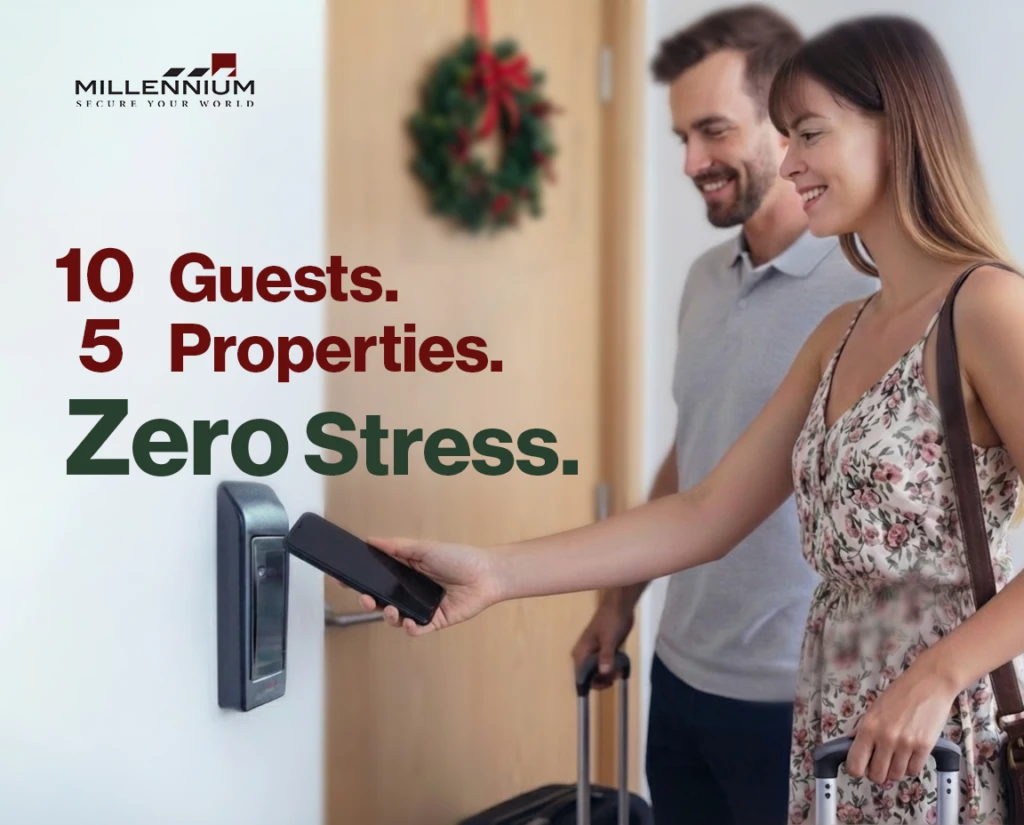
The holiday season brings a flurry of travel—and for Airbnb hosts, that means packed calendars, back-to-back bookings, and the pressure to deliver five-star experiences. But with guests arriving at all hours and properties spread across neighborhoods or even cities, managing access for every unit can become a logistical nightmare. Enter remote access control: a game-changing feature that empowers Airbnb owners to provide seamless, secure, and contactless entry without ever needing to be on-site. Whether you’re managing a high-rise downtown, a collection of condos in resort areas, or a portfolio of single-family rentals, remote access tools help you scale operations, reduce risks, and deliver consistent experiences across every location. Why Holiday Hosting at Scale Needs Smarter Access Holiday travel is unlike any other season. It often includes: Late-night or early-morning arrivals across multiple listings Last-minute bookings and rapid turnover High guest expectations for smooth, contactless check-ins Multiple staff, cleaners, and vendors accessing various sites Traditional access methods like physical keys, lockboxes, or keypads quickly break down at scale. You can’t be everywhere at once. Remote access control changes that by giving you centralized, real-time control over every door in your portfolio. Real-Time Remote Access Control for Every Location Through a cloud-based platform, large-scale Airbnb operators can: Send digital keys to guests, cleaners, or contractors at any property Grant or revoke access instantly, from any location Assign time-based permissions for check-ins, cleanings, or service visits Monitor entry logs across all units in real time This level of control allows operators to streamline processes, cut down on errors, and provide consistent service regardless of how many listings they manage or where they’re located. Guest Check-Ins Without the Chaos Imagine you have 10 guests checking into 5 different units across the city on the same day. With remote access control, you: Schedule each guest’s digital key to activate at the right time Avoid physical key handoffs or travel between properties Receive instant confirmation when guests arrive You stay in full control, from one dashboard, without leaving your desk. Cleaner and Contractor Access That Scales With You Whether you work with in-house cleaning teams or third-party services, access management becomes seamless. Assign unique credentials that: Only work during assigned time slots Are limited to specific doors or buildings Can be revoked or reassigned in seconds Contractors can also be granted one-time or recurring access for seasonal maintenance or emergency work—no need to meet them in person or leave units vulnerable. Download the Cloud Access Control Checklist your 15-step, printable guide to building a secure, scalable, and cloud-ready system. Includes: PoLP setup, MFA guide, permission audit worksheet + a bonus printable template. Click Here Centralized Monitoring Across All Properties One of the most valuable features for multi-property owners is centralized visibility. With real-time audit logs and customizable alerts, you can: Track who entered each property and when Detect unusual activity across any door Quickly respond to lockouts or access issues remotely Whether you’re overseeing 5 doors or 500, this unified system helps maintain high standards and fast service. Building Trust With Consistent, Secure Entry Guests value consistency, especially across multiple stays or group bookings. Mobile access provides: A familiar, professional check-in experience No lost keys, reused codes, or security risks Contactless convenience that’s perfect for modern travel And for operators, it’s a scalable way to uphold safety, brand standards, and reputation across diverse properties. Conclusion: Holiday Hosting at Scale, Made Simple Remote access control isn’t just a tool—it’s the foundation for scalable, efficient, and secure Airbnb operations. Whether you’re welcoming 2 guests or 200, managing properties near or far, the ability to oversee access from anywhere transforms how you do business. For large-scale hosts and professional operators, this isn’t a luxury—it’s a necessity. Looking to upgrade your access strategy? Discover how Millennium’s access control system empowers Airbnb property managers to streamline multi-site operations, enhance guest experiences, and grow with confidence — during the holidays and every season. Millennium is a scalable, hosted, access control platform that services any type of real estate. Our cloud-based solution allows managers and tenants to efficiently manage their physical security from anywhere while enhancing experience and driving profitability.
Hospitality Reimagined: How Hotel Mobile Key Systems and Mobile Access Control Are Transforming Guest Experience and Loyalty
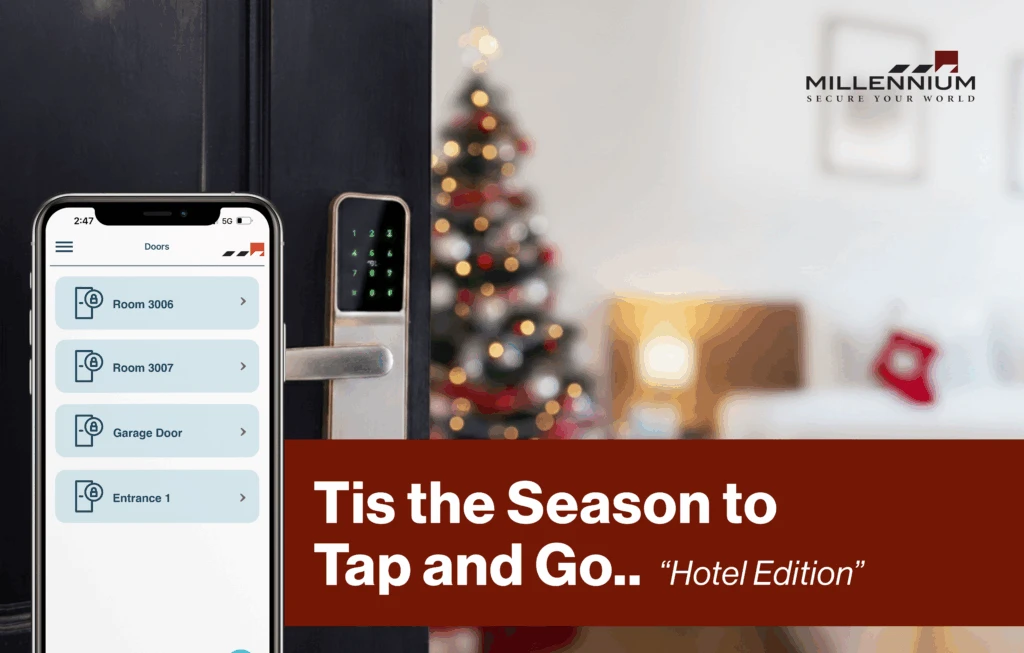
In today’s fast-evolving hospitality landscape, convenience, personalization, and safety are no longer luxuries — they’re expectations. The traditional hotel experience of waiting in line for check-in, juggling keycards, and signing paperwork is being replaced by contactless, app-based solutions that redefine how guests interact with spaces. Among these innovations, mobile access control stands out as a transformative technology, reshaping not only how guests enter rooms but also how they perceive the brand itself. Hotels, resorts, and co-living spaces are realizing that the door to brand loyalty literally starts at the door — and the key is now digital. From Keycards to Smartphones: The Shift to Mobile Credentials The familiar plastic keycard has long been a staple of hotel security systems. Yet, it comes with challenges — cards get lost, demagnetized, or duplicated, and reissuance adds unnecessary administrative costs. In contrast, hotel mobile key systems powered by digital room keys let guests access rooms, gyms, or private lounges directly through their smartphones. This shift is not just about convenience; it’s about creating a frictionless experience. Guests can complete contactless hotel check-ins, receive digital keys before arrival, and head straight to their rooms without waiting at the reception desk. For hotels, this means reduced front-desk load, improved operational flow, and fewer physical touchpoints — a major plus in the post-pandemic world. Personalization and Guest Engagement Through Mobile Access The hospitality industry is now using mobile access control systems not only for security but for enhancing guest engagement. When integrated with loyalty apps and property management systems (PMS), mobile credentials become part of a connected ecosystem. Guests can unlock their room, adjust lighting, set room temperature, and even order room service — all from their phones. This seamless integration makes guests feel recognized and valued. Personalized in-app experiences, special offers, and loyalty rewards tied to mobile credentials increase brand loyalty in hospitality, making guests more likely to return. For instance, a repeat guest might receive an automatic upgrade notification or digital welcome message — subtle gestures that build emotional connections and long-term satisfaction. Operational Efficiency and Security Benefits for Hotels For hoteliers, mobile access control in the hospitality industry isn’t just about guest convenience — it’s a game-changer for operations. Traditional keycards require manual handling, auditing, and constant replacement. Mobile credentials, on the other hand, can be managed from a centralized cloud platform, making it easier to grant or revoke access instantly. A modern hotel security system built on mobile credentials reduces administrative overhead while tightening access control for both guests and staff. Security teams can monitor real-time entry logs, identify anomalies, and ensure compliance with building security standards. Additionally, smart access control systems eliminate the risk of key duplication and help maintain detailed audit trails for every access event — critical for compliance and accountability. Data Security and Guest Trust: Protecting Access in the Digital Age The move toward mobile doesn’t mean compromising on safety. In fact, today’s mobile access control hospitality solutions are built on strong encryption and cloud-based security frameworks. Each digital key is unique, time-bound, and stored securely within the guest’s device. Leading systems, such as Millennium Ultra, comply with stringent data protection and cybersecurity standards, ensuring end-to-end encryption and secure credential management. With these protections in place, hotels can confidently adopt contactless solutions without exposing guests to risk. Building this level of trust is essential for fostering loyalty — when guests feel secure, they’re far more likely to engage digitally and recommend the brand to others. Download the Cloud Access Control Checklist your 15-step, printable guide to building a secure, scalable, and cloud-ready system. Includes: PoLP setup, MFA guide, permission audit worksheet + a bonus printable template. Click Here Real-World Applications: Redefining the Guest Journey Imagine arriving at a resort after a long flight and skipping the front desk entirely — your phone already holds your digital room key. You walk straight to your suite, open the door, and the room welcomes you with preferred lighting and temperature settings. During your stay, the same app gives you mobile access to the pool, spa, and exclusive lounge. This isn’t a futuristic scenario — it’s the reality many hotels are already adopting. Co-living spaces, boutique hotels, and resorts are using mobile credentials for hotels to enhance convenience, reduce physical contact, and align with the digital expectations of modern travelers. The result? Higher satisfaction scores, smoother operations, and stronger brand differentiation. Why Mobile Access Builds Long-Term Brand Loyalty Guest loyalty in hospitality isn’t just about points or perks — it’s about experiences that feel effortless and personal. By investing in mobile access control, hotels send a clear message: they value guest time, safety, and convenience. When guests can trust that every interaction — from entry to checkout — will be seamless and secure, they form emotional bonds that drive repeat bookings and word-of-mouth referrals. In an industry where experiences define reputation, mobile access systems are helping hospitality brands deliver both efficiency and empathy — two key drivers of loyalty in the digital age. Conclusion: The Future of Guest Experience Is in Their Hands The hospitality industry stands at the intersection of technology and human connection. Mobile access control represents more than just a new security feature — it’s a strategy for crafting modern, memorable, and secure guest experiences. By replacing outdated keycards with intuitive, app-based access, hotels can enhance trust, streamline operations, and strengthen their brand identity. Millennium Group’s mobile access solutions, including the advanced Millennium Ultra platform, empower hospitality leaders to embrace this transformation. From secure cloud management to seamless guest integration, these systems ensure that the future of hospitality is not just smart — it’s truly personal. Millennium is a scalable, hosted, access control platform that services any type of real estate. Our cloud-based solution allows managers and tenants to efficiently manage their physical security from anywhere while enhancing experience and driving profitability.